SMARTWAV
Presentation
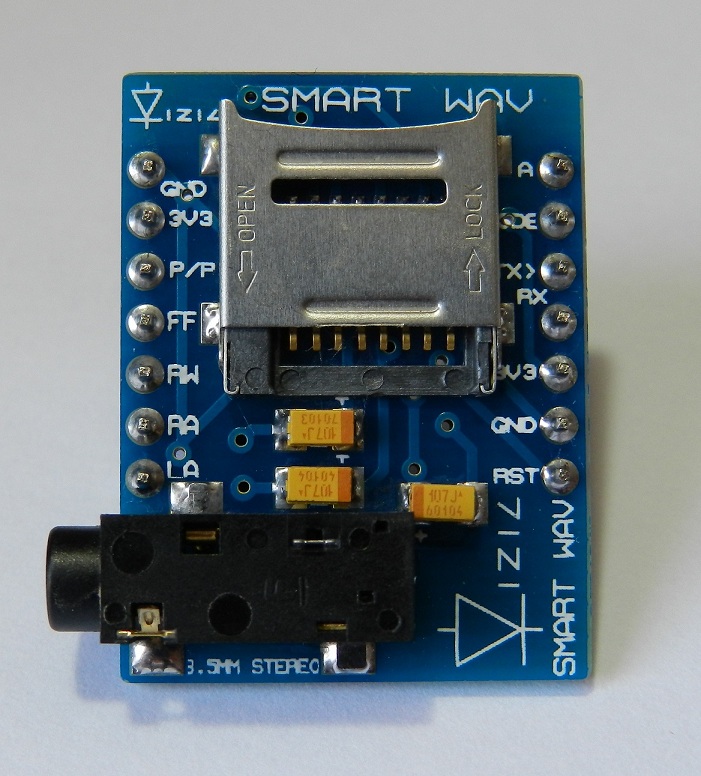
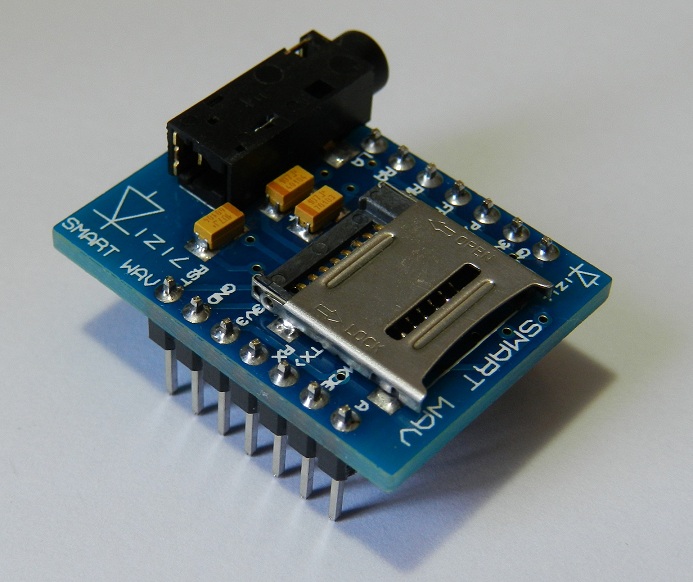
This page presents a library to use a SMARTWAV intelligent embedded audio processor from vizic technologies: the easiest way to add High Quality Stereo Sound to any project: http://vizictechnologies.com/#/smart-wav/4559021187 (http://www.vizictechnologies.com) The Audio module features are :
- Pre-Amplified Dual channel Stereo Out with 8/16bit, stereo/mono, and up to 48khz sampling rate, CD quality.
- Integrated Digital Volume Control with 255 steps.
- Long file names and folder management support.
- Serial mode or Stand-alone mode.
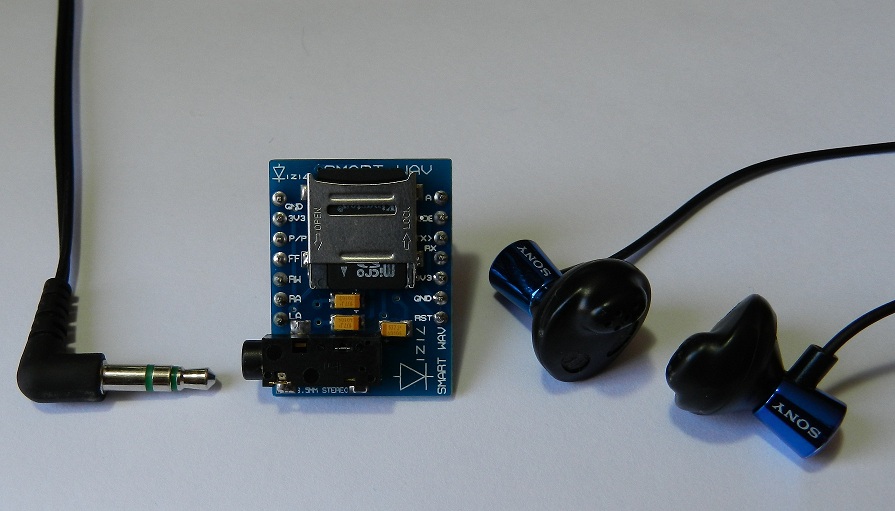
- On board stereo 3.5mm plug for headphones, or line out.
- Play speed control: 0.5X, 1X, 1.5X and 2X. (Fast Forward).
- Easy 5 pin interface to any host device: VCC, TX, RX, GND, RESET.
- On-board uSD/uSDHC memory card socket with FAT (windows PC), Support up to 32GB for storing thousands of songs/audio WAVE files. No need of special/rare file format.
- Sleep mode.
- Active out pin for led indicator.
- Input pin for mode selection: VCC-serial, GND-stand-alone.
- 9600 standard Baud Rate speed, 8 bits, no parity, 1 stop bit.
- 5V and 3V3 I/O compatible.
- 3V3 power supply, ultra-low current consumption.
- compatible with any microcontroller(8051,pic,AVR,ARM,mbed,FPGAs,Arduino,PC) and development boards with a UART.
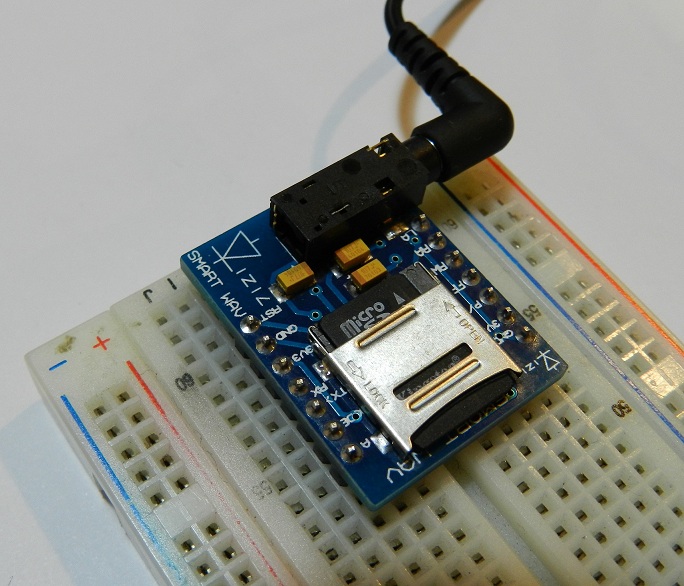
SMARTWAV intelligent embedded Audio processor unit
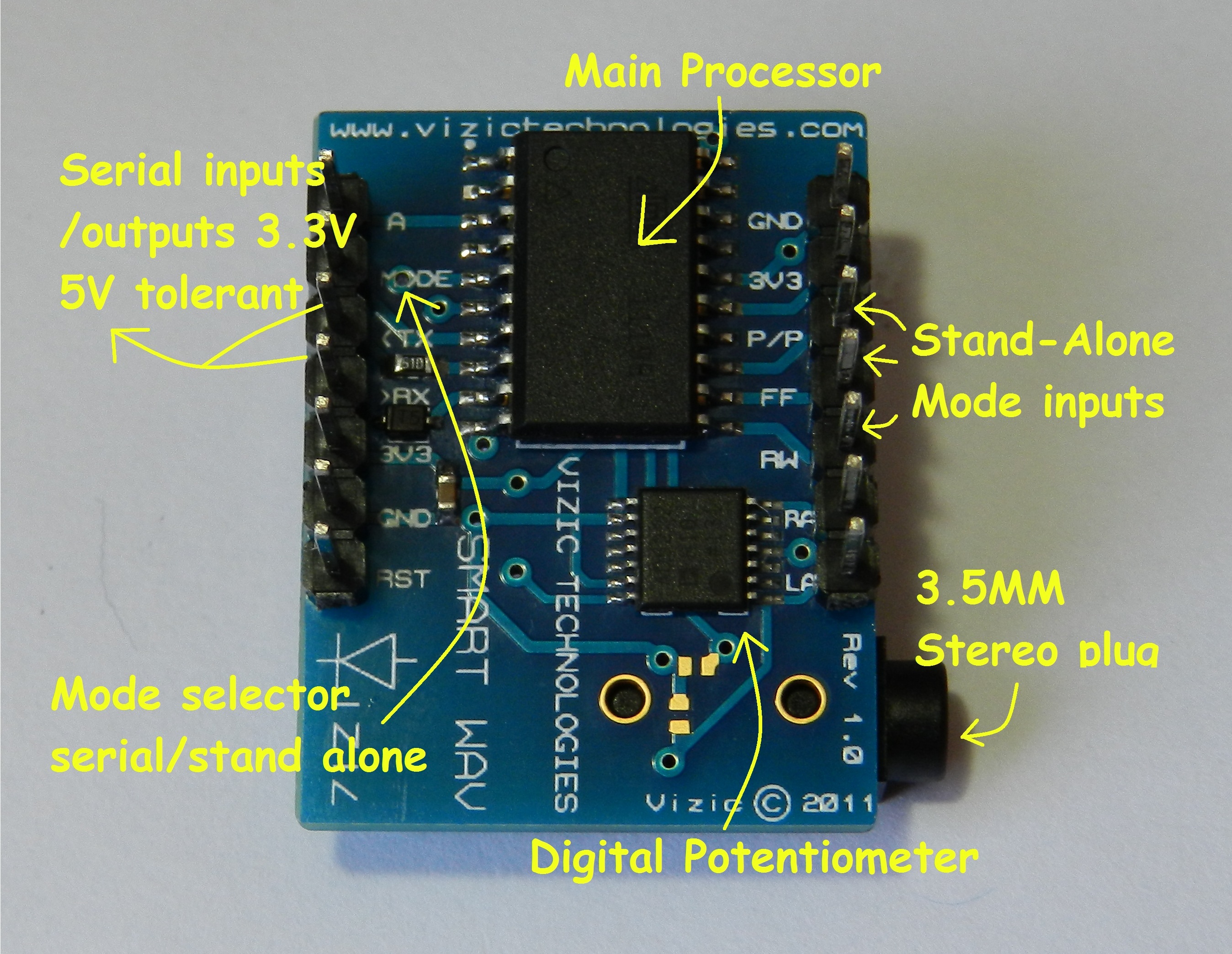
Connecting the SMARTWAV
- You will need to power the module with 3.3V.
- I/O pins are 3.3V I/O and 5V tolerant for serial communication.
- If you use an external power source, make sure the mbed ground and external power ground are linked otherwise the serial commands will not be received correctly by the module.
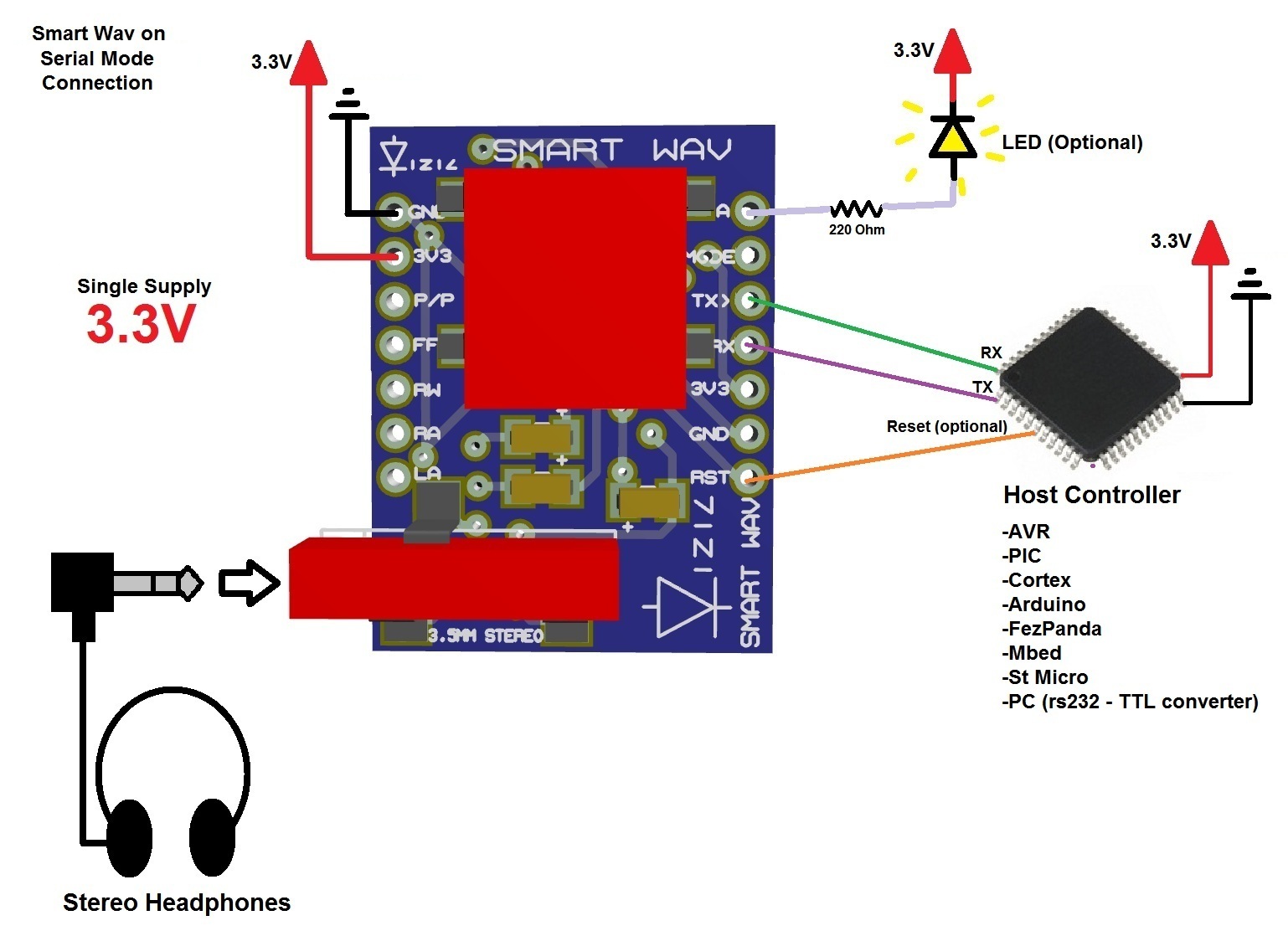
- Use one of the three Serial pairs of pins (p9, p 10) (p13, p14) or (p27, p28) from the mbed to connect them with the SMARTWAV(up to 3 SMARTWAVs can be connected simultaneously to mbed!).
- Use one pin for reseting the module.
- The way to use the library is SMARTWAV sWav(p13,p14,p15); (TX,RX,Reset)
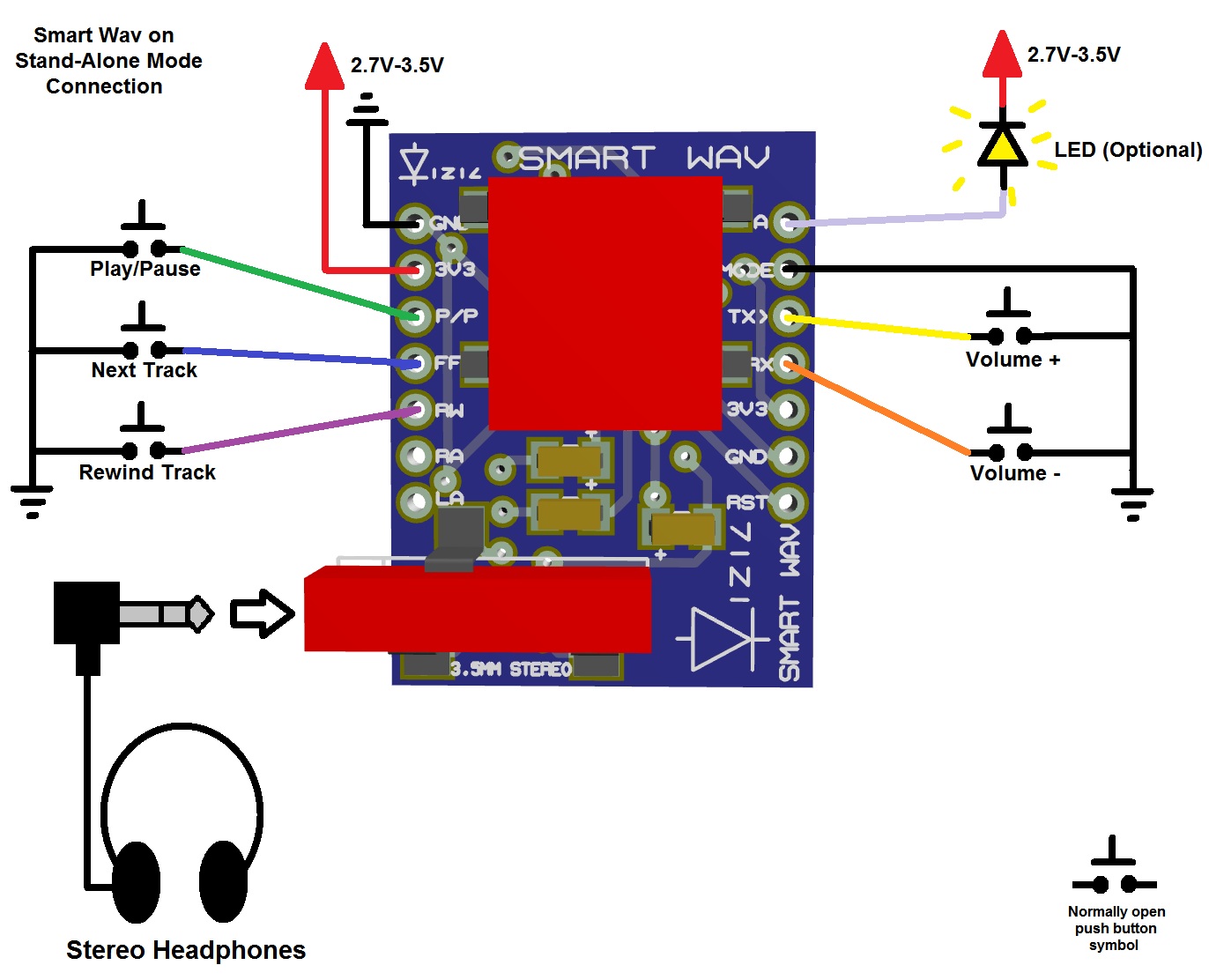
SmartWAV Typical connections...
-Serial Mode:
-Stand-Alone Mode(no controller needed):
SMARTWAV mbed Library
You can import the SMARTGPU mbed Library from here :
Import librarySMARTWAV
SMARTWAV mbed Library for use with the SMARTWAV audio processor, http://vizictechnologies.com/#/smart-wav/4559021187 www.vizictechnologies.com
Last commit 11 Feb 2012 by  Vizic Technologies
Once it is imported to your program folder, just insert the #include "SMARTWAV.h" in your main.cpp and create the object with SMARTWAV sWav(p13,p14,p15); (TX,RX,Reset)
Example Code
main.cpp
//main.cpp
#include "mbed.h"
#include "SMARTWAV.h"

SMARTWAV sWav(p13,p14,p15);    //(TX,RX,Reset);

int main(){
 char playList[100];          //array that stores all the microSD card audio files
 char folders[100];           //array that stores all the microSD card folders/Dirs
 char songName[10];           //array that stores the audio file name

 sWav.reset();                //physically reset SMARTWAV

 while(1){                       //loop forever
  sWav.playTracks();                //Play any audio track stored on the microSD card root path
  wait(20);                         //let it play some seconds
  sWav.pausePlay();                 //Pause track
  wait(2);                          //let it play some seconds
  sWav.pausePlay();                 //resume track
  wait(2);                          //let it play some seconds
  sWav.rewindTrack();               //rewind track
  wait(2);                          //let it play some seconds
  sWav.nextTrack();                 //jump to next track
  wait(2);                          //let it play some seconds
  sWav.stopTrack();                 //stop playing track
  sWav.playTrackName("lovers");     //play track named "Lovers" stored on the microSD card
  wait(20);                         //let it play some seconds
  sWav.getFileName(name);           //get current playing song name
  sWav.stopTrack();                 //stop track
  sWav.getFolderList(folders);      //get folder list on microSD card
  sWav.getFileList(playList);       //get audio files/song list on microSD card
  sWav.setFolder("Rock");           //enter "Rock" folder
  sWav.playTracks();                //Play any audio track stored on the microSD card 0:/Rock/ path
  sWav.playSpeed(TWOX);             //set play speed to 2X
  sWav.continuousPlay(ENABLE);      //enable continuous play
 }
}
Videos
SmartWAV Stand-Alone Module:
SmartWAV MediaPlayer like with mBed
Images and microSD contents could be downloaded from here: http://vizictechnologies.com/#/software-demos-sw/4560115377
Demos & Source Code
To make it simpler, you can import those demos 100% ready to compile and load:
SmartWAV controlled directly from a PC using mbed's USB serial port:
Import programSWAVandPCserial
SMARTWAV Audio processor, control the SmartWAV module with communication to a PC via mbed USB Port under an Hyperterminal session 9600/1 stop bit/ no parity/ no flow control
Last commit 12 Feb 2012 by Vizic Technologies
SmartWAV and SmartGPU showing a "windows media player" demo application using mbed:
Import programMediaPlayerSWav
SMART WAV audio processor connected together with the SMART GPU graphics processor, a \"windows media player\" application is demostrated, be sure to download demo\'s used files to the microSD card. http://vizictechnologies.com/#/software-demos-sw/4560115377
Last commit 12 Feb 2012 by Vizic Technologies
Work in progress
- The library need some extra documentation, but it's 100% functional.
- More demos and example applications will be uploaded.
- Be sure to post any bug in case of.
Notes
- Images and microSD contents used on some examples could be downloaded from here: http://vizictechnologies.com/#/software-demos-sw/4560115377 "SMARTWAVmbedExamples.zip"
- Feel free to use the library and comment!