RN 42 Bluetooth
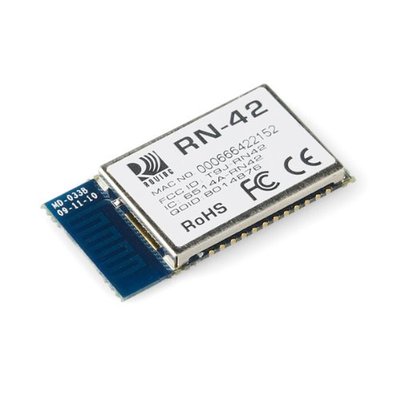
This module provides a very simple way to replace a serial cable connection with a Bluetooth Serial Port Profile (SPP) connection.
As well has having a good set of features accessible via an AT-style command set, one great feature is that out of the box, it is configured to be a serial port host listening for an incoming serial port request. This means that immediately, without any configuration, you can pair the RN42 with a Bluetooth enabled computer, and have a 115200-8-N-1 serial connection
Hello World!
Import program
00001 #include "mbed.h"
00002
00003 Serial rn42(p9,p10);
00004 DigitalOut myled(LED1);
00005
00006 int main() {
00007
00008     rn42.baud(115200);
00009
00010     // echo back characters, toggle the LED
00011     while (1) {
00012         if (rn42.readable()) {
00013             rn42.putc(rn42.getc());
00014             myled = !myled;
00015         }
00016     }
00017 }
Connectivity
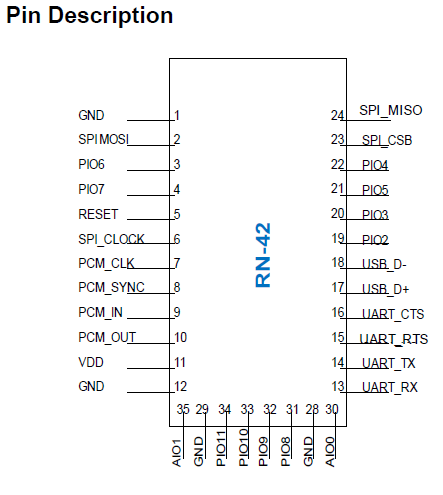
| RN42 Pin | mbed Pin |
| 1 - GND | GND |
| 11 - VDD | Vout |
| 12 - GND | GND |
| 13 - RX | p9 |
| 14 - TX | p10 |
| 28 - GND | GND |
| 29 - GND | GND |
Tech Specs
- Single 3.3v supply
- Good power consumption figure (typical)
- 26uA in standby
- 25mA - Idle Connection
- 40mA - Active connection
- Simple interface for serial cable replacement
- Power, Ground, Tx, Rx
- Defaults :
- SPP, 115,200-8-N-1
- Bluetooth passkey "1234"