MOSFET Tester and Ohm Meter
Purpose: To use a DIP switch to switch between a mosfet tester and a ohm meter.
IO Devices used: 16x2 LCD panel, DIP Switch
Ohm Meter
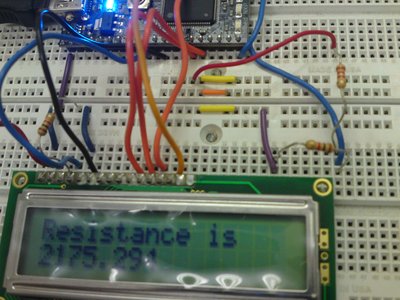
Using the code below, the LCD screen will display the resistance and current flowing through a resistor. It was found to be accurate within about 60 Ohms.
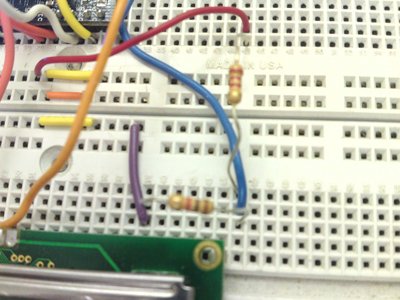
Ohm Meter Technique:
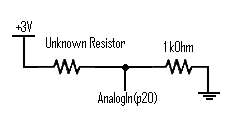
- Run the 3.3V source (the red wire) through the unknown resistor (running vertical)
- Put the unknown resistor in series with another resistor (1 kOhm running horizontal) with a known value
- Connect the other end of this known resistor to ground.
- Run an analogIn(p20) from the node that is touching both the unknown resistor and the 1 kOhm resistor.
The Code for the Resistance Calculator:
main.cpp
    //Declarations
         AnalogIn V1(p20);
         AnalogIn V5(p17);

    //Resistance calculator
        if (DIP4 && !DIP1) {
            current = 3.3*V1/1000;
            Voltage1 = 3.3*V1;
            resistance = (3.3-Voltage1)/current;
            lcd.printf("Current is \n%.6f\n", current);
            wait(2);
            lcd.printf("Resistance is \n%4.2f\n", resistance);
            wait(2);
                   }
MOSFET Tester
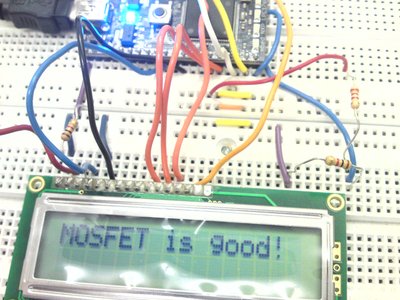
Technique: Run the 3.3V source(with a pull-down resistor) into the Gate of the MOSFET. The AnalogOut pin is connected to the Source running 3.3V out of p18 (with a pull-down resistor). Connect an AnalogIn pin to the Drain.
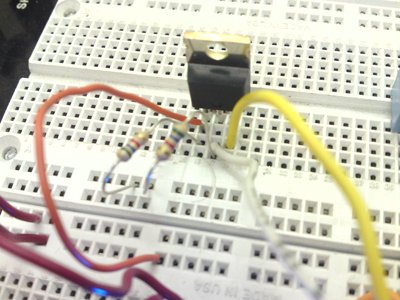
main.cpp
   //Declarations
AnalogOut TestVoltage(p18);
AnalogIn DSVoltage(p19);
   //MOSFET Tester
int main() {

      t.start();
      lcd.cls();
      wait(1);


    while(1) {
    lcd.cls();
        //MOSFET Tester
        if (DIP1 && !DIP4) {
        TestVoltage = 1.0f;
            if (DSVoltage >= 1) {
                lcd.printf("MOSFET is good!\n");
                wait(2);
                                }
             else {
                lcd.printf("MOSFET no good!\n");
                wait(2);
                     }
                   }